Ticketmaster Clone: Develop a Ticket Booking App Like Ticketmaster
Build a Ticketmaster clone app with real-time booking, secure payments, and event management features. Launch your ticketing platform today.
27 min read
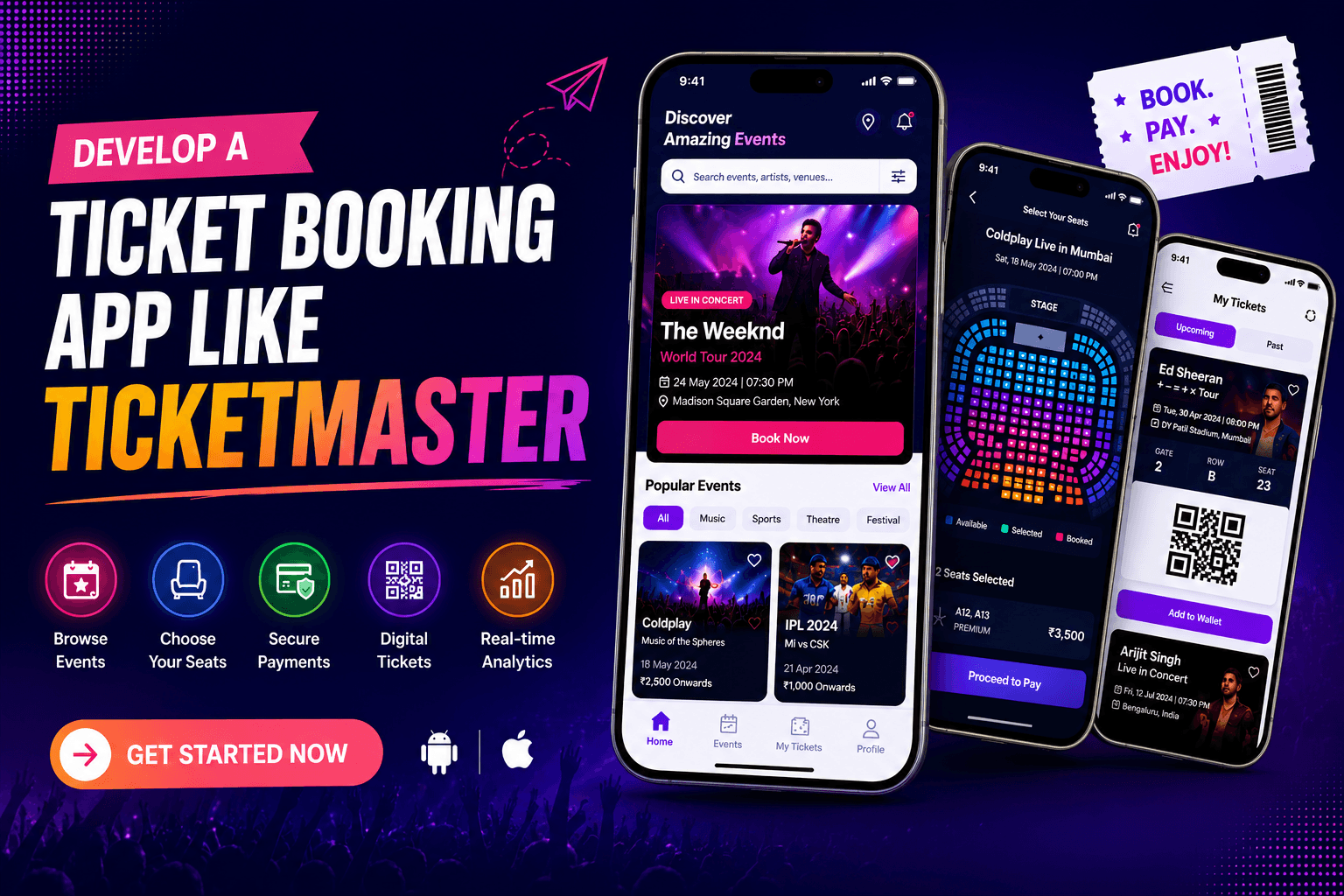
The global event ticketing industry has undergone a significant transformation over the past decade. Traditional ticket counters and offline booking methods are rapidly being replaced by digital platforms that offer instant access to concerts, sports events, theatre shows, festivals, conferences, and live entertainment experiences. Consumers now expect the convenience of discovering events, selecting seats, making secure payments, and receiving digital tickets through a single mobile application or website.
This shift in consumer behaviour has created enormous opportunities for entrepreneurs, startups, event management companies, entertainment brands, and investors looking to establish their presence in the online ticketing industry. As the demand for seamless event booking experiences continues to rise, businesses are increasingly exploring advanced ticketing platforms that can simplify operations while maximising revenue.
One of the most recognised names in this industry is Ticketmaster. The platform has revolutionised how people purchase and manage event tickets by offering a streamlined booking process, real-time seat selection, secure transactions, and digital ticket management. Its success has inspired many businesses to seek similar solutions tailored to their own markets and audiences.
This growing demand has led to the popularity of Ticketmaster clone app development. A Ticketmaster-inspired platform enables businesses to launch a feature-rich event ticket booking ecosystem without spending years developing a solution from the ground up. Whether you want to serve local entertainment venues, sports organisations, event organisers, music festivals, or corporate conferences, a customised Ticketmaster clone provides the foundation needed to build a scalable and profitable business.
At CloneAppz, we help businesses build powerful ticket booking platforms equipped with advanced technologies, custom branding, and enterprise-grade features that support long-term growth. In this guide, you will discover everything you need to know about developing a Ticketmaster clone, including features, technologies, development processes, monetisation opportunities, costs, and business benefits.
What is a Ticketmaster Clone App?
A Ticketmaster clone app is a custom-built event ticket booking platform that replicates the core functionality of Ticketmaster while allowing complete flexibility in design, branding, and feature implementation. It serves as a digital marketplace where users can discover events, reserve seats, purchase tickets, and manage bookings through a user-friendly mobile app or website.
Unlike a simple copy of an existing platform, a modern Ticketmaster clone is developed specifically according to your business requirements. It can be customised to support different event categories, revenue models, customer segments, and geographical markets. This flexibility makes it suitable for businesses operating in various industries, including entertainment, sports, education, hospitality, and corporate event management.
A comprehensive Ticketmaster clone ecosystem generally consists of several interconnected modules:
Customer Application
The customer-facing application allows users to browse events, purchase tickets, receive event notifications, and access digital tickets.
Event Organiser Dashboard
Event organisers can create events, manage ticket inventory, track sales performance, monitor attendance, and communicate with attendees.
Admin Management Panel
Administrators gain complete control over platform operations, including user management, event approvals, commission settings, dispute resolution, and revenue monitoring.
Ticketmaster Clone Website
A responsive web platform allows users to browse and purchase tickets from desktop and mobile browsers while providing additional accessibility for larger audiences.
Analytics and Reporting System
Advanced analytics provide valuable insights into customer behaviour, ticket sales performance, event popularity, and revenue generation.
By combining these components into a unified ecosystem, businesses can create a professional ticketing platform capable of competing in the rapidly expanding event booking industry.
Why Invest in Ticketmaster Clone App Development?
The demand for online ticket booking solutions is increasing rapidly as event organisers and customers seek faster, more convenient, and technology-driven experiences. Investing in Ticketmaster clone app development provides businesses with an opportunity to enter a highly profitable market while leveraging proven business models.
Expanding Event Industry Creates Massive Opportunities
The global events industry continues to grow as consumers actively participate in concerts, sporting events, exhibitions, conferences, workshops, and festivals. With millions of tickets being sold online every year, businesses have an excellent opportunity to capture a share of this growing market.
Modern consumers prefer digital-first experiences. They expect instant ticket access, mobile-friendly interfaces, contactless entry systems, and personalised event recommendations. Businesses that fail to provide these experiences risk losing customers to competitors offering superior digital platforms.
A Ticketmaster clone allows companies to capitalise on these trends by delivering seamless booking experiences across multiple channels.
Faster Market Entry Compared to Building from Scratch
Developing an event ticketing platform from scratch can require significant investments in research, design, development, testing, and deployment. It may take months or even years to create a fully functional solution.
With a Ticketmaster-inspired platform, businesses can significantly accelerate development timelines while reducing costs. The core framework is already established, allowing developers to focus on customisation, branding, and feature enhancements rather than reinventing the entire system.
This faster time-to-market helps businesses launch sooner and begin generating revenue earlier.
Multiple Revenue Streams
One of the strongest advantages of building an app like Ticketmaster is the ability to generate revenue from multiple sources.
The platform can earn money through:
- Ticket sales commissions
- Convenience fees
- Premium organiser subscriptions
- Featured event promotions
- In-app advertising
- Event marketing services
- VIP membership plans
- Data analytics services
Diversified revenue streams improve business sustainability and profitability.
Scalability for Long-Term Growth
A well-developed Ticketmaster clone app can support thousands of concurrent users, multiple organisers, and large-scale events without compromising performance.
As your business expands, additional features can be introduced, including:
- Virtual event ticketing
- Hybrid event management
- AI-driven recommendations
- Dynamic pricing systems
- Loyalty programmes
- Corporate event solutions
This scalability ensures your platform remains competitive as market demands evolve.
Enhanced Customer Engagement
Customer retention plays a crucial role in the success of any digital platform. A Ticketmaster clone enables businesses to engage users through personalised recommendations, event alerts, loyalty rewards, referral programmes, and targeted promotions.
These features encourage repeat bookings and help establish long-term customer relationships.
How Does a Ticketmaster Clone App Work?
Understanding the workflow of a Ticketmaster clone platform is essential for businesses planning to enter the online ticketing market. The system is designed to provide a smooth experience for customers, organisers, and administrators while maintaining security, scalability, and operational efficiency.
User Registration and Authentication
The customer journey begins with account creation. Users can register using their email address, mobile number, or social media accounts. Secure authentication mechanisms help protect user data while simplifying platform access.
Once registered, customers gain access to personalised recommendations, booking history, saved preferences, and loyalty benefits.
Event Discovery and Search
After logging in, users can browse available events through a powerful search and filtering system.
Popular search filters include:
- Event category
- Location
- Date
- Venue
- Artist
- Ticket price
- Event popularity
These filters help users quickly find relevant events based on their interests.
Event Details and Information
Every event listing includes detailed information such as:
- Event description
- Venue location
- Schedule
- Seating arrangements
- Ticket pricing
- Available ticket categories
- Organiser information
Providing comprehensive event details improves transparency and increases booking confidence.
Real-Time Seat Selection
Interactive seating maps allow users to view available seats in real time. Different sections, pricing tiers, and VIP areas are clearly displayed.
When a customer selects a seat, the system temporarily reserves it to prevent duplicate bookings during checkout.
Secure Payment Processing
Once tickets are selected, users proceed to the payment stage.
A modern Ticketmaster clone supports various payment options, including:
- Credit cards
- Debit cards
- UPI
- Mobile wallets
- Net banking
- International payment gateways
Secure payment processing helps build trust and reduce transaction abandonment.
Digital Ticket Generation
Following successful payment, the system automatically generates digital tickets containing encrypted QR codes or barcodes.
Users receive tickets through:
- Mobile applications
- SMS notifications
- Digital wallets
This eliminates the need for physical ticket distribution and improves convenience.
Event Entry and Ticket Verification
At the event venue, staff can scan QR codes using dedicated validation tools.
The system instantly verifies ticket authenticity, prevents fraud, and enables faster attendee check-in.
Post-Event Engagement
After the event concludes, users can leave ratings, submit reviews, and receive recommendations for future events.
This ongoing engagement helps increase retention while providing valuable feedback for organisers.
Key Features of Ticketmaster Clone App Development
The success of any ticket booking platform largely depends on the features it offers to customers, event organisers, and administrators. When businesses build an app like Ticketmaster, they must focus on delivering a seamless booking experience while providing advanced management tools for organisers and complete operational control for administrators.
A well-developed Ticketmaster clone should not only simplify ticket sales but also improve customer engagement, event promotion, revenue management, and platform scalability. Below are the essential features that contribute to the success of a modern ticket booking ecosystem.
Customer App Features
Customers are the primary users of your platform. Their experience directly impacts ticket sales, retention rates, and overall business growth. Therefore, every feature should be designed to provide convenience, speed, and reliability.
User Registration and Profile Management
The registration process should be simple, secure, and user-friendly. Customers should be able to create accounts using their email address, mobile number, or social media credentials.
Once registered, users can manage their profiles, update personal information, save payment methods, track booking history, and customise event preferences.
A personalised user profile helps the platform understand customer interests and deliver more relevant event recommendations, leading to improved engagement and higher ticket sales.
Advanced Event Search and Discovery
One of the most important features of a Ticketmaster clone app is an intelligent event discovery system.
Users should be able to search events using multiple filters such as:
- Event category
- Date
- Location
- Venue
- Artist
- Ticket price
- Popularity
Advanced search functionality helps customers quickly find events that match their interests without spending excessive time browsing.
A smooth discovery experience significantly increases booking conversions and enhances overall user satisfaction.
Event Categories and Recommendations
Organising events into dedicated categories improves platform usability.
Popular categories may include:
- Concerts
- Sports Events
- Theatre Shows
- Festivals
- Conferences
- Workshops
- Educational Seminars
- Community Events
The platform should also recommend events based on customer behaviour and previous bookings.
For example, if a user frequently purchases tickets for music concerts, the system can automatically prioritise upcoming concerts on the homepage.
This personalised approach improves engagement while helping organisers reach relevant audiences.
Real-Time Seat Selection
Seat selection is often the deciding factor during the booking process.
A Ticketmaster clone should include an interactive seating map that displays:
- Available seats
- Reserved seats
- VIP sections
- Premium seating
- General admission areas
Customers can visually explore venue layouts and choose seats according to their preferences and budget.
Real-time seat synchronisation ensures that users always view accurate availability information. This prevents double bookings and reduces customer frustration during high-demand ticket sales.
Secure and Flexible Payment Options
Payment flexibility plays a major role in improving conversion rates.
The platform should support multiple payment methods, including:
- Credit Cards
- Debit Cards
- UPI
- PayPal
- Razorpay
- Apple Pay
- Google Pay
- Digital Wallets
Providing diverse payment options allows users to complete transactions using their preferred method.
Additionally, secure payment gateways help build customer trust and protect sensitive financial information.
Instant E-Ticket Generation
After a successful payment, the platform should instantly generate a digital ticket.
Each ticket includes:
- Unique Ticket ID
- QR Code
- Barcode
- Event Information
- Seat Number
- Venue Details
Digital tickets eliminate printing requirements and simplify ticket distribution.
Customers can access tickets directly through the app, website, email, or mobile wallet.
Booking History and Ticket Management
Customers should have complete access to their booking records.
The booking history section allows users to:
- View past purchases
- Download invoices
- Access active tickets
- Request cancellations
- Manage refunds
This functionality improves convenience and reduces customer support requests.
Wishlist and Save for Later
Not every visitor purchases tickets immediately.
The wishlist feature allows customers to save events for future consideration.
Users receive alerts when:
- Ticket prices change
- New seats become available
- Events approach sell-out status
- Early-bird offers are introduced
This feature helps increase future conversions while improving customer retention.
Push Notifications and Event Alerts
Timely notifications keep users engaged with the platform.
Customers can receive updates regarding:
- Upcoming events
- Booking confirmations
- Event reminders
- Venue changes
- Promotional campaigns
- New event launches
Personalised notifications improve engagement and encourage repeat bookings.
Reviews and Ratings
Trust is essential in the ticket booking industry.
Allowing customers to leave reviews and ratings helps future attendees make informed decisions.
Reviews also provide valuable feedback to event organisers and platform administrators.
Positive reviews improve event credibility and contribute to higher booking rates.
Referral and Loyalty Programs
Referral programs are excellent tools for customer acquisition.
Users can invite friends and receive:
- Discount coupons
- Cashback rewards
- Bonus points
- VIP access opportunities
Similarly, loyalty programs encourage repeat bookings by rewarding active users.
These features help reduce customer acquisition costs while improving retention.
Multi-Language and Multi-Currency Support
For businesses targeting international markets, localisation is critical.
A Ticketmaster clone app should support:
- Multiple languages
- Multiple currencies
- Regional payment methods
- Local event recommendations
This ensures accessibility for users across different geographical locations.
Customer Support and Live Chat
Reliable customer support significantly improves user satisfaction.
Customers should be able to:
- Submit support tickets
- Chat with support agents
- Access FAQs
- Track issue resolutions
Real-time assistance helps resolve problems quickly and creates a positive user experience.
Event Organizer Features
Event organisers are the backbone of any ticket booking platform. Providing them with powerful management tools helps attract more organisers while increasing overall platform activity.
Event Creation and Publishing
Organisers should be able to create events through a user-friendly dashboard.
They can configure:
- Event title
- Description
- Venue details
- Ticket categories
- Event schedules
- Promotional media
This simplifies event setup and reduces administrative workload.
Ticket Inventory Management
Effective inventory management helps organisers control ticket availability.
Organisers can:
- Set ticket limits
- Create pricing tiers
- Define VIP categories
- Manage seating allocations
- Monitor ticket availability
This ensures efficient ticket distribution and revenue optimisation.
Dynamic Pricing Management
Modern ticketing platforms increasingly use dynamic pricing strategies.
Organisers can adjust prices based on:
- Demand levels
- Booking volume
- Event popularity
- Remaining inventory
This helps maximise revenue while maintaining competitive pricing.
Real-Time Sales Dashboard
Access to live sales data allows organisers to make informed decisions.
The dashboard can display:
- Tickets sold
- Revenue generated
- Conversion rates
- Traffic sources
- Popular ticket categories
Real-time insights enable organisers to optimise marketing strategies and improve performance.
Promotional and Marketing Tools
Marketing plays a crucial role in event success.
A Ticketmaster clone should allow organisers to create:
- Discount codes
- Promotional offers
- Group booking deals
- Early-bird campaigns
- Referral programs
Integrated marketing tools reduce reliance on external platforms and improve ticket sales.
QR Code Ticket Validation
Managing event entry efficiently is essential.
Organisers can use QR scanning technology to:
- Verify tickets instantly
- Prevent fraudulent entry
- Reduce waiting times
- Improve crowd management
This creates a smoother event experience for attendees.
Audience Analytics
Understanding customer behaviour helps organisers improve future events.
Analytics reports may include:
- Demographics
- Geographic distribution
- Ticket purchasing trends
- Popular event categories
- Marketing campaign performance
These insights help organisers make data-driven decisions.
Refund and Cancellation Management
Unexpected situations may require ticket refunds.
The platform should enable organisers to:
- Review refund requests
- Approve cancellations
- Apply refund policies
- Communicate with customers
This streamlines customer service operations and maintains trust.
Revenue and Payout Dashboard
Organisers need transparency regarding earnings.
The payout dashboard displays:
- Revenue generated
- Pending payments
- Commission deductions
- Transaction history
- Financial reports
This simplifies financial management and improves accountability.
Team Collaboration and Access Control
Large events often require multiple team members.
Role-based access allows organisers to assign permissions for:
- Marketing managers
- Event coordinators
- Customer support staff
- Venue managers
This improves operational efficiency without compromising security.
Social Media and Marketing Integration
Direct integration with marketing channels helps organisers expand event visibility.
Supported channels may include:
- X
- Email marketing platforms
This enables wider event promotion and increased ticket sales.
Admin Panel Features
The admin panel serves as the central control system for the entire platform. It enables administrators to manage users, events, transactions, security, and business operations from a single interface.
Advanced Dashboard Analytics
The admin dashboard provides a comprehensive overview of platform performance.
Key metrics include:
- Total users
- Active organisers
- Ticket sales
- Revenue growth
- Popular events
- Platform activity
These insights support strategic decision-making and business planning.
User Management System
Administrators can manage all platform participants.
This includes:
- Customer verification
- Account approvals
- Suspensions
- User activity monitoring
- Fraud prevention
Effective user management helps maintain platform security and trust.
Event Approval Workflow
To ensure quality standards, all events can undergo an approval process before publication.
Admins can review:
- Event details
- Venue information
- Ticket pricing
- Organiser credentials
This helps prevent fraudulent or misleading listings.
Commission and Revenue Management
Admins can configure platform earnings through flexible commission structures.
Options may include:
- Fixed commissions
- Percentage-based fees
- Premium listing charges
- Subscription fees
This feature provides complete control over revenue generation.
Category and Venue Management
Administrators can create and manage event categories while approving venues listed on the platform.
This improves organisation and enhances customer browsing experiences.
Refund and Dispute Resolution
Handling disputes efficiently is crucial for maintaining trust.
Admins can review:
- Refund requests
- Customer complaints
- Payment disputes
- Organiser issues
A structured resolution system improves customer satisfaction and platform credibility.
Notification Management System
Administrators can manage all communication channels, including:
- Push notifications
- SMS alerts
- Email campaigns
- Promotional announcements
Centralised communication ensures consistent messaging across the platform.
Security and Fraud Monitoring
Ticket fraud can significantly impact platform reputation.
Admins require tools to:
- Detect suspicious activities
- Monitor transactions
- Prevent bot attacks
- Block fraudulent users
Advanced security monitoring protects both customers and organisers.
Audit Logs and Activity Tracking
Every platform action should be recorded for compliance and transparency.
Audit logs help administrators track:
- User activities
- Event modifications
- Financial transactions
- System changes
This feature is particularly important for large-scale ticketing platforms.
Third-Party Integration Management
The admin panel should provide complete control over integrations such as:
- Payment gateways
- CRM systems
- Analytics tools
- Marketing platforms
- Customer support solutions
This ensures seamless platform operations while maintaining flexibility for future expansion.
Advanced AI Features for Ticketmaster Clone App Development
The modern ticket booking industry is no longer limited to simple event listings and online ticket sales. Today's customers expect personalised experiences, instant support, smart recommendations, and seamless booking journeys. This is where Artificial Intelligence (AI) becomes a game-changing technology.
Businesses planning to develop an app like Ticketmaster should consider AI integration as a core investment rather than an optional feature. AI-powered systems not only improve customer experiences but also help organisers increase ticket sales, optimise pricing strategies, and improve marketing efficiency.
Below are some of the most valuable AI features that can significantly enhance a Ticketmaster clone app.
AI-Powered Event Recommendations
Personalisation has become one of the most important factors influencing customer engagement.
An AI recommendation engine analyses various user behaviours, including:
- Previous ticket purchases
- Search history
- Browsing activity
- Favourite event categories
- Location preferences
- Spending habits
Using this data, the platform automatically recommends events that match the user's interests.
For example, if a customer frequently books music concerts, the system can prioritise upcoming concerts and festivals on the homepage.
This personalised experience increases:
- User engagement
- Ticket sales
- Session duration
- Customer retention
Businesses that implement recommendation engines often experience significantly higher conversion rates than platforms offering generic event listings.
Dynamic Ticket Pricing
Dynamic pricing has become a standard practice among major ticketing companies worldwide.
Instead of maintaining fixed ticket prices, AI algorithms continuously analyse:
- Demand levels
- Available inventory
- Booking velocity
- Event popularity
- Competitor pricing
- Historical sales data
Based on these insights, the platform can automatically adjust ticket prices.
For example:
- Prices may increase when demand surges.
- Prices may decrease during slower sales periods.
- Early buyers may receive discounted rates.
- Premium seats can be priced dynamically based on demand.
This strategy helps maximise organiser revenue while maintaining healthy ticket sales.
AI-Powered Demand Forecasting
Predicting event demand can be challenging for organisers.
Machine learning models help forecast future ticket sales by analysing:
- Historical booking trends
- Customer demographics
- Seasonal patterns
- Market behaviour
- Social media activity
These insights allow organisers to make informed decisions regarding:
- Venue selection
- Ticket inventory
- Pricing strategies
- Marketing budgets
Demand forecasting reduces uncertainty and improves event planning accuracy.
AI Chatbots and Virtual Assistants
Customer support is essential for ticket booking platforms.
AI-powered chatbots can provide instant assistance for common queries such as:
- Ticket availability
- Refund policies
- Event schedules
- Venue information
- Booking status
- Payment issues
Unlike traditional support teams, chatbots operate 24/7 and can handle thousands of conversations simultaneously.
This reduces support costs while improving customer satisfaction.
Smart Fraud Detection
Ticket fraud remains a major challenge in the event ticketing industry.
AI-based fraud detection systems continuously monitor:
- Suspicious transactions
- Unusual purchasing patterns
- Multiple account creation attempts
- Bot activities
- Scalping behaviour
When suspicious activities are detected, the system can automatically flag, block, or review transactions.
This helps protect both customers and event organisers from fraudulent activities.
AI-Powered Marketing Automation
Marketing plays a critical role in driving ticket sales.
AI helps businesses automate marketing campaigns by:
- Segmenting audiences
- Identifying high-intent customers
- Personalising promotions
- Scheduling campaigns
- Optimising advertising spend
This ensures promotional content reaches the right audience at the right time.
Sentiment Analysis and Customer Feedback Intelligence
Understanding customer opinions can help improve future events.
AI tools analyse:
- Event reviews
- Ratings
- Social media comments
- Survey responses
The system identifies common themes, customer concerns, and positive experiences.
Organisers can use this data to improve future event planning and customer satisfaction.
Voice Search Integration
Voice-based interactions continue to grow in popularity.
Voice search functionality enables users to:
- Search events
- Book tickets
- Access schedules
- View event details
using voice assistants and smart devices.
This creates a more accessible and convenient user experience.
Ticketmaster Clone Website Features
While mobile applications dominate user engagement, websites remain an essential part of the event ticketing ecosystem. Many users prefer browsing and booking tickets from desktops, laptops, and tablets, particularly when purchasing multiple tickets or attending business events.
A professionally developed Ticketmaster clone website helps businesses expand their reach and improve accessibility across different devices.
Responsive User Interface
A responsive website automatically adjusts to various screen sizes.
Whether users access the platform from:
- Smartphones
- Tablets
- Laptops
- Desktop computers
the website should provide a consistent browsing experience.
Responsive design improves usability while supporting SEO performance.
Advanced Event Search System
An intelligent search system enables users to discover events quickly.
Filters may include:
- Category
- Location
- Venue
- Date
- Artist
- Ticket Price
- Event Type
Advanced search functionality improves navigation and helps users find relevant events more efficiently.
Interactive Event Pages
Each event should have a dedicated page containing:
- Event descriptions
- Venue information
- Event schedules
- Media galleries
- Ticket categories
- Organiser profiles
Detailed event pages help customers make informed purchasing decisions.
Interactive Seating Maps
Customers should be able to view venue layouts and select seats directly from the website.
Visual seating arrangements improve transparency and reduce booking confusion.
Interactive maps also improve conversion rates by helping users identify preferred seating options.
Secure Checkout Process
A streamlined checkout process reduces cart abandonment.
The Ticketmaster clone website should support:
- Multiple payment gateways
- Guest checkout options
- Secure payment processing
- Fast transaction completion
A frictionless checkout experience directly impacts revenue generation.
Customer Account Dashboard
Users should have access to:
- Booking history
- Saved events
- Digital tickets
- Profile settings
- Payment methods
Centralised account management improves convenience and user retention.
Event Organiser Portal
The website should include a dedicated organiser dashboard that allows event managers to:
- Create events
- Manage ticket inventory
- Track sales
- Access analytics
- Process refunds
This creates a complete self-service ecosystem for organisers.
SEO-Friendly Architecture
Search engine visibility is essential for attracting organic traffic.
An SEO-friendly Ticketmaster clone website should include:
- Clean URL structures
- Schema markup
- Mobile optimisation
- Fast loading speeds
- Metadata optimisation
These elements improve search engine rankings and increase traffic.
Multi-Language Support
Global ticketing platforms often serve users from different regions.
Multi-language functionality improves accessibility and supports international expansion.
Real-Time Analytics Dashboard
Website administrators can monitor:
- Traffic sources
- User behaviour
- Conversion rates
- Ticket sales
- Revenue performance
These insights support data-driven business decisions.
Step-by-Step Process to Develop an App Like Ticketmaster
Building a successful ticket booking platform requires a structured development approach. Every stage contributes to the final product's functionality, security, performance, and scalability.
Business Analysis and Requirement Gathering
The first step in Ticketmaster clone app development involves understanding business objectives.
During this stage, the development team identifies:
- Target audience
- Revenue model
- Market opportunities
- Competitor analysis
- Feature requirements
- Platform goals
A detailed discovery process helps establish a strong foundation for development.
Market Research and Competitor Analysis
Before development begins, businesses should analyse existing platforms to identify strengths, weaknesses, and market gaps.
Research focuses on:
- Customer expectations
- Popular features
- Revenue strategies
- Industry trends
- Competitive advantages
This information helps create a platform capable of standing out in a competitive market.
UI/UX Design Planning
User experience significantly impacts ticket sales and customer retention.
Design teams create:
- User journeys
- Wireframes
- Interactive prototypes
- Interface layouts
The goal is to create an intuitive booking experience that encourages conversions.
Architecture Planning
Scalability should be considered from the beginning.
System architects design:
- Database structures
- API frameworks
- Cloud infrastructure
- Security layers
- Microservices architecture
Proper planning prevents future scalability issues.
Frontend Development
Frontend development focuses on customer-facing interfaces.
Developers build:
- Mobile applications
- Web portals
- User dashboards
- Event pages
- Booking workflows
Modern technologies such as React, Flutter, and Angular are commonly used.
Backend Development
The backend serves as the operational engine of the platform.
Developers create systems for:
- User management
- Event management
- Ticket generation
- Payment processing
- Notification delivery
- Reporting
A robust backend ensures smooth platform performance.
Database Development
A well-structured database stores essential information including:
- User profiles
- Event details
- Transactions
- Ticket records
- Analytics data
Database optimisation improves speed and reliability.
Third-Party API Integration
Third-party services enhance platform functionality.
Common integrations include:
- Payment gateways
- SMS providers
- Email services
- CRM platforms
- Analytics tools
- Cloud storage services
These integrations improve operational efficiency.
Security Implementation
Security is one of the most important aspects of ticket booking platforms.
Developers implement:
- SSL encryption
- Two-factor authentication
- Role-based access control
- Secure APIs
- Fraud prevention systems
These measures help protect user data and financial transactions.
Testing and Quality Assurance
Comprehensive testing ensures platform stability.
Testing includes:
- Functional testing
- Performance testing
- Security testing
- Compatibility testing
- Load testing
Quality assurance reduces bugs and improves user experience.
Deployment and Launch
Once testing is complete, the platform is deployed to production environments.
The deployment process includes:
- Server configuration
- Performance optimisation
- App store submission
- Website deployment
- Monitoring setup
A successful launch marks the beginning of platform operations.
Post-Launch Support and Maintenance
Development does not end after deployment.
Continuous support includes:
- Bug fixes
- Security updates
- Feature enhancements
- Performance improvements
- Server maintenance
Regular updates ensure long-term platform success and scalability.
Technology Stack Used for Ticketmaster Clone App Development
The success of a ticket booking platform depends heavily on the technologies used during development. A modern Ticketmaster clone must be capable of handling thousands of simultaneous users, processing secure transactions, managing real-time seat reservations, and delivering seamless performance across multiple devices.
Choosing the right technology stack ensures scalability, security, reliability, and long-term business growth.
The following technologies are commonly used to build a powerful Ticketmaster clone app and website.
Component | Technologies | Purpose |
Frontend Development | React.js, Angular, Vue.js | Interactive web interfaces |
Mobile Development | Flutter, React Native | Cross-platform mobile applications |
Backend Development | Node.js, Laravel, Django | Business logic and API management |
Database | PostgreSQL, MongoDB, MySQL | Data storage and management |
Cloud Infrastructure | AWS, Google Cloud, Azure | Hosting and scalability |
Payment Integration | Stripe, Razorpay, PayPal | Secure payment processing |
Push Notifications | Firebase Cloud Messaging | User engagement and alerts |
Real-Time Updates | WebSocket, Socket.io | Live seat availability updates |
Analytics | Google Analytics, Mixpanel | User behaviour tracking |
Security Frameworks | OAuth 2.0, JWT, SSL | Authentication and data protection |
QR Code Management | ZXing, Dynamsoft | Digital ticket verification |
Customer Support | Twilio, Intercom, Zendesk | Communication and support |
A robust technology stack helps businesses launch an app like Ticketmaster that can scale efficiently as ticket sales and user traffic grow over time.
Monetization Strategies for Ticketmaster Clone App Development
One of the biggest reasons entrepreneurs invest in Ticketmaster clone app development is the ability to generate revenue through multiple streams.
Unlike traditional businesses that depend on a single income source, a ticket booking platform can earn revenue from various channels simultaneously.
Below are some of the most effective monetization strategies.
Commission on Ticket Sales
Commission-based earnings are the primary revenue source for most ticket booking platforms.
Whenever an event organiser sells a ticket through the platform, the admin charges a percentage commission on every transaction.
For example:
- Ticket Price: $100
- Platform Commission: 10%
- Revenue Earned: $10 per ticket
As booking volumes increase, commission revenue grows consistently.
This model creates a win-win situation for both organisers and platform owners.
Convenience Fees
Convenience fees are small charges added during checkout.
Customers generally accept these charges because they provide benefits such as:
- Online booking convenience
- Instant ticket delivery
- Secure transactions
- Mobile accessibility
Even a small convenience fee can generate substantial revenue when applied across thousands of bookings.
Featured Event Listings
Event organisers are always looking for ways to improve visibility.
A Ticketmaster clone app can offer premium placements where organisers pay additional fees to feature their events prominently on:
- Homepage banners
- Search results
- Category pages
- Recommendation sections
Featured listings create additional income while helping organisers boost ticket sales.
Subscription Plans for Organisers
The platform can offer subscription packages tailored to event organisers.
Examples include:
Basic Plan
- Limited event creation
- Basic analytics
- Standard support
Professional Plan
- Unlimited event listings
- Advanced reports
- Priority support
Enterprise Plan
- Dedicated account management
- Marketing assistance
- Advanced integrations
Recurring subscription revenue creates predictable monthly earnings.
Advertising Revenue
Businesses can allow third-party brands to advertise within the platform.
Advertising opportunities may include:
- Banner advertisements
- Sponsored events
- Promotional campaigns
- Brand partnerships
Relevant advertisements create additional income without affecting user experience.
VIP Membership Programs
Premium users often seek exclusive benefits.
VIP memberships can include:
- Early ticket access
- Exclusive discounts
- Premium seating opportunities
- Faster customer support
Membership programs improve customer retention while creating recurring revenue.
Event Promotion Services
Many organisers require marketing assistance to increase attendance.
The platform can offer additional services such as:
- Social media marketing
- Email campaigns
- Influencer promotion
- Paid advertising management
These services create another high-margin revenue stream.
Data and Analytics Services
Large event organisers often require detailed audience insights.
Businesses can provide premium analytics reports containing:
- Customer demographics
- Purchasing trends
- Marketing performance
- Event engagement metrics
These reports offer significant value to organisers and can become a profitable premium service.
Cost to Build a Ticketmaster Clone App
One of the most important considerations for businesses planning to develop an app like Ticketmaster is understanding development costs.
The overall investment depends on multiple factors, including platform complexity, feature requirements, integrations, and scalability objectives.
Below is an estimated cost breakdown.
Development Phase | Estimated Cost |
Market Research & Planning | $1,000 – $3,000 |
UI/UX Design | $2,000 – $6,000 |
Frontend Development | $5,000 – $15,000 |
Backend Development | $8,000 – $20,000 |
API Integrations | $2,000 – $8,000 |
Testing & Quality Assurance | $2,000 – $6,000 |
Deployment & Launch | $1,000 – $3,000 |
Post-Launch Support | $1,000 – $5,000 |
The total cost typically ranges from:
Solution Type | Estimated Cost |
MVP Ticket Booking Platform | $5,000 – $8,000 |
Standard Ticketmaster Clone | $8,000 – $15,000 |
Advanced Ticketing Platform | $15,000 – $35,000 |
Enterprise-Level Solution | $35,000+ |
The final investment depends on the specific requirements of your business.
Factors Affecting Ticketmaster Clone App Development Cost
Several factors directly influence the overall development budget.
Feature Complexity
The more advanced features included, the higher the development effort.
Examples include:
- AI recommendations
- Dynamic pricing
- Real-time seat management
- Loyalty programs
Advanced functionalities require additional resources and expertise.
Platform Selection
Developing for:
- Android only
- iOS only
- Android and iOS
- Website
affects development timelines and costs.
Multi-platform solutions naturally require larger investments.
UI/UX Customization
Custom designs demand more time than template-based interfaces.
Businesses seeking premium branding typically invest more heavily in UI/UX design.
Third-Party Integrations
Payment gateways, CRM systems, analytics tools, and notification services add complexity to development projects.
Security Requirements
Event ticketing platforms process sensitive customer and financial information.
Implementing enterprise-grade security measures increases development costs but protects business reputation.
Cloud Infrastructure
Scalable hosting environments are essential for handling high-traffic events and large booking volumes.
Infrastructure requirements influence both development and operational expenses.
Maintenance and Future Enhancements
Every digital platform requires ongoing maintenance.
Regular updates help:
- Improve performance
- Enhance security
- Introduce new features
- Fix technical issues
Businesses should allocate budgets for long-term maintenance.
Why Choose CloneAppz as Your Ticketmaster Clone App Development Company?
Selecting the right clone app development company is one of the most critical decisions in your project journey.
At CloneAppz, we specialise in building scalable, feature-rich, and fully customised clone applications that help businesses launch faster and grow efficiently.
Our expertise extends across:
- Event ticket booking apps
- Marketplace platforms
- On-demand service solutions
- White-label applications
- Multi-vendor ecosystems
Experienced Development Team
Our developers, designers, and project managers possess extensive experience in building advanced digital platforms.
Fully Customizable Solutions
Every business has unique requirements.
We tailor every Ticketmaster clone according to:
- Brand identity
- Business model
- Market requirements
- Revenue objectives
Scalable Architecture
Our solutions are built to support future growth, allowing businesses to scale without major redevelopment.
Advanced Technology Integration
We incorporate:
- Artificial Intelligence
- Cloud Computing
- Real-Time Systems
- Analytics Platforms
- Enterprise Security
to ensure long-term success.
Dedicated Support and Maintenance
Our relationship with clients continues after deployment.
We provide:
- Technical support
- Security updates
- Feature enhancements
- Performance optimisation
to help businesses maintain competitive advantages.
Faster Time-to-Market
By leveraging proven development frameworks and industry expertise, we help businesses launch their platforms more efficiently.
Conclusion
The online event ticketing industry presents tremendous opportunities for entrepreneurs, startups, event management companies, and enterprises seeking to establish a profitable digital business. As consumers increasingly rely on mobile applications and websites for booking event tickets, the demand for feature-rich and user-friendly ticketing solutions continues to grow.
Investing in Ticketmaster clone app development enables businesses to enter this thriving market with a proven business model, advanced technology stack, multiple monetization opportunities, and scalable infrastructure. From event discovery and real-time seat selection to AI-powered recommendations and secure payment processing, a well-developed Ticketmaster clone can deliver exceptional experiences for customers, organisers, and administrators alike.,
CloneAppz combines technical expertise, industry knowledge, and innovative development practices to deliver powerful ticket booking platforms tailored to your business objectives. With custom solutions, advanced integrations, and ongoing support, we help transform your vision into a scalable and profitable event ticketing business.
Frequently Asked Questions
The development timeline depends on project complexity, features, and platform requirements. A basic MVP may take few weeks, while an enterprise-grade solution may require 6–8 months.
Yes. Most businesses choose to launch both mobile and web platforms to maximise audience reach and improve booking accessibility.
Popular technologies include React, Flutter, Node.js, Laravel, PostgreSQL, MongoDB, AWS, Firebase, and secure payment gateway integrations.
Absolutely. Every aspect of the platform, including branding, features, workflows, revenue models, and integrations, can be customised.
Yes. Multi-vendor functionality allows multiple organisers to create, manage, and promote events through a single platform.
Real-time seat management uses technologies such as WebSocket to instantly update seat availability and prevent duplicate bookings.
Security measures such as QR-code validation, encrypted transactions, authentication systems, fraud detection algorithms, and activity monitoring help prevent fraudulent activities.
CloneAppz offers customised solutions, advanced technologies, scalable architecture, dedicated support, faster deployment, and extensive experience in clone app development, making us a reliable technology partner for your project.